Book an Appointment
Call Karls Technology at 1-800-620-5285
                   

1-800-620-5285


Karls Technology Computer Service is your one stop for mobile computer repair, IT consulting and application and web development. We have multiple computer repair shops in the Phoenix, Tucson, Las Vegas, San Diego, Salt Lake City, Denver, Dallas-Fort Worth, Tampa, Orlando, Houston, Miami, Minneapolis-Saint Paul, Atlanta, Charlotte, Kansas City, Austin, San Antonio, Virginia Beach, Raleigh, Detroit, St. Louis, Pittsburgh, Cincinnati, Columbus, Indianapolis, Cleveland, Nashville, Jacksonville, Oklahoma City, Memphis, Richmond, Louisville, Baltimore and Milwaukee metropolitan areas.

We specialize in small business IT consulting, web development, SEO, SEM, data recovery, virus removal and remote / mobile computer repair.

Do you need a computer repair or computer service company?

4.9 / 5 stars from 948 reviews
Why use a computer tech when you can have a San Tan Valley based Computer Engineer for computer repair? Matt Karls Mon-Sun 8:00am - 8:00pm

Call us at 1-800-620-5285

Text us at (602) 633-4584

Email us your questions

Book an Appointment

Who is Karls Technology Computer Service?

Karls Technology is owned by Matt Karls, an Electrical Engineer and a Computer Systems Engineer. We are a family owned and run computer repair company focused on service and quality, all our work is guaranteed.

If you need computer repair, computer service or have any technology problem, we are here to help you! Give us a call to fix all your computer problems at 1-800-620-5285 or text us at (602) 633-4584.
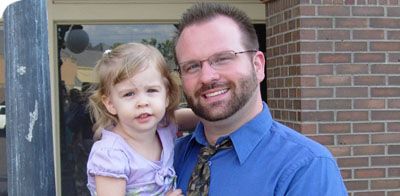
Karls Technology's Computer Engineer

What is your service area for mobile Computer Repair?

We started in 1999, with one person, servicing customers in Mesa, AZ with a then new concept of fixing computers in customer's homes. Today, we have expanded to a large team of field engineers servicing customers nationwide.

Karls Technology Mobile Computer Repair Service Area

Currently, we provide on-site mobile computer repair service to all the cities in the Phoenix, Tucson, Las Vegas, San Diego, Salt Lake City, Denver, Dallas-Fort Worth, Tampa, Orlando, Houston, Miami, Minneapolis-Saint Paul, Atlanta, Charlotte, Kansas City, Austin, San Antonio, Virginia Beach, Raleigh, Detroit, St. Louis, Pittsburgh, Cincinnati, Columbus, Indianapolis, Cleveland, Nashville, Jacksonville, Oklahoma City, Memphis, Richmond, Louisville, Baltimore and Milwaukee metropolitan areas.

What should someone expect that hires you for Computer Service?

Our mission is to fully resolve your computer problems quickly and affordably. If you want a Computer Engineer that can fix all of your computer repair and computer service problems instead of a computer tech, a computer geek, a technician or a computer guy that can only fix some of your computer problems; call us at 1-800-620-5285.  

What types of Computer Repair Services do you perform?

We provide services to businesses and clients in their homes, including:
 
  • Diagnose / repair hardware or software problems
  • Spyware, malware, trojan and virus removal
  • Setup wireless and small business networks
  • Laptop repair, PC repair and Apple repair
  • Hard drive data recovery

Karls Technology Contact Information

We have multiple offices nationwide across the United States, call us at 1-800-620-5285 to find the closest office or book an appointment online.

Book an Appointment

Open Positions and Careers at Karls Technology

Our dedication to be IT Heroes for our clients is built by many hard working individuals, if you are looking for a job or want to build a career at Karls Technology, see our current open job listings.

Additional areas we service: Ahwatukee, Arlington, Arvada, Aurora, Boulder, Buckeye, Chandler, Clearwater, Fort Lauderdale, Fountain Hills, Frisco, Garland, Gilbert, Glendale, Goodyear, Grand Prairie, Henderson, Hollywood, Irving, Kissimmee, Lakewood, Largo, Littleton, Mesa, McKinney, Paradise Valley, Peoria, Plano, Queen Creek, Sandy, San Tan Valley, St. Petersburg, Scottsdale, Sun City, Sun Lakes, Surprise, Tempe, Thornton


  © 1999-2026 Karls Technology | Jobs | Terms of Service | Privacy Policy


4.9 / 5 stars from 948 reviews

"Matt and Santino were very knowledgeable and helpful. They fixed all of my issues. I will definitely use your company and them again."

Karls Technology 5 / 5 stars

"Excellent, all is working, amazing service!"

Karls Technology 5 / 5 stars

"These guys are great! I have been using them for years. Always a job well done. No need to call anyone else."

Karls Technology 5 / 5 stars

"The service I received today was absolutely outstanding. They arrived on time and the service was very professional. They were willing to explain to me exactly what was wrong and didn't speak to me like I was a complete idiot, which was refreshing."

Karls Technology 5 / 5 stars
Best Antivirus Software of 2026: The Ultimate Guide to Cybersecurity Brands

In 2026, the digital threat landscape has shifted. We are no longer just fighting simple viruses; we are defending against AI-generated phishing, sophisticated ransomware-as-a-service, and complex identity theft. Choosing the right antivirus brand is no longer optional—it is the foundation of your digital life. At Karls Technology, we’ve analyzed the top-performing security suites of the […] The post Best Antivirus Software of 2026: The Ultimate Guide to Cybersecurity Brands appeared first on Computer Repair Blog.

New Processor Compatibilities on Windows 11

The rigorous system requirements of Windows 11 and Microsoft’s insistence on using only the most recent hardware earned widespread criticism even before the operating system was made available to the public. According to Windows Latest, many PCs will not be able to acquire an official transition to Windows 11 from previous Windows operating systems. Windows […] The post New Processor Compatibilities on Windows 11 appeared first on Computer Repair Blog.

Low Power Mode on macOS

What exactly does the low power mode on macOS accomplish? When you put your device into low power mode, it adjusts its settings to cut back on power consumption as much as possible. In order to save energy, the display’s brightness and the computer’s clock speed will drop automatically. On addition to conserving power, turning […] The post Low Power Mode on macOS appeared first on Computer Repair Blog.

Stop Applications From Starting Automatically

After being installed, certain programs will operate in the background on occasion. Even while it works for a few apps, its overall performance is poor. System performance drops when a large number of apps are set to launch automatically. For optimal speed, unnecessary programs during startup should be disabled. The good news is that Windows […] The post Stop Applications From Starting Automatically appeared first on Computer Repair Blog.

Don’t Install Unfamiliar Browser Extensions

You should be aware of how unsafe it is to install software on your personal computer that you are unfamiliar with and have no idea what it does. Including things like putting in browser extensions. Users assumed browser add-ons were safe because they were uninformed about the dangers they could offer. In short, be weary […] The post Don’t Install Unfamiliar Browser Extensions appeared first on Computer Repair Blog.

If Your Computer Won’t Turn On, Here May Be Why

The last thing users need to happen when they’re about to jump on their PC is for it not to turn on. There is a possibility that your computer may not switch on because the power supply is broken or has died. If the computer’s power supply is malfunctioning, the components of the machine will […] The post If Your Computer Won’t Turn On, Here May Be Why appeared first on Computer Repair Blog.

Safari Browser – How to Delete History

When a Mac starts to operate slowly, cleaning the browser’s history is a common first step in getting it back up to speed. Here’s how to do just that: Open Safari For a complete log of your activity, select History from the menu bar. When the submenu appears, select Clear History from its lowest position. […] The post Safari Browser – How to Delete History appeared first on Computer Repair Blog.

Turn off Android Alerts to Help Battery

Faster smartphones are on the horizon, and with each software upgrade comes a slew of new functions designed to streamline your daily routine. Unfortunately, this technology may potentially shorten the lifespan of your device’s battery. If you have too many notifications set up on your Android, its battery life may suffer. To enable alerts on […] The post Turn off Android Alerts to Help Battery appeared first on Computer Repair Blog.

Redesigned Microsoft Store

In anticipation of the release of widgets developed by third-party developers for Windows 11, Microsoft has made some adjustments to the Microsoft Store. This update brings about a number of useful changes, two of the most advantageous of which are improved efficiency and expanded accessibility. If you are running a preview build of Windows 11, […] The post Redesigned Microsoft Store appeared first on Computer Repair Blog.

Check Graphic Cards Temperature

The graphics card is the brains of any good gaming computer. Graph cards are especially prone to irregularity and failure after months without being properly cared for and maintained. Obviously, the best way to maximize the usefulness of your GPU and lengthen its lifespan is to prepare for it in advance. They are responsible for […] The post Check Graphic Cards Temperature appeared first on Computer Repair Blog.